

About Denada
Introducing: Smart Docs
Smart Docs lets Denada learn from your documents and turn brand, product, and process files into active AI instructions.
Turn Your Documents Into Instructions
Denada has always been smart—trained on your company’s brand, products, and audience data.
Now, it’s getting smarter.
With our Winter Reveal, we’re introducing Smart Docs: a new way to turn the documents you already use into active instructions that guide how Denada creates.
This isn’t just storage.
It’s collaboration—between your team, your assets, and Denada.
From Static Storage to Active Creation
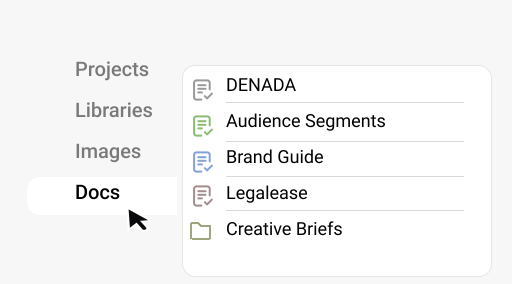
Docs were originally built as a central place to store everything related to a campaign:
Creative briefs
Subject line tests
Social proof
Audience segments
Legal and translation details
Useful? Absolutely.
But the real breakthrough came when we asked a simple question:
If Denada is a helpful agent, shouldn’t it work the way we work?
That’s where Smart Docs were born.
Tell Denada What to Create—And Where to Pull From
With Smart Docs, you can now direct Denada to create content by referencing your documents directly.
For example, you can say:
“Create my monthly newsletter using Creative_Brief_Feb26. Then pull five pieces of social proof from Social_Proof_Feb26 and place them into the layout.”
“Review Subject_Line_Test_Dec26 and write five new subject lines informed by what performed best across my audience segments.”
“Go to the folder March26_Creative_Briefs, read all four briefs, and create a newsletter draft for each one.”
Denada reads the files, understands the context, and creates accordingly.
No copying.
No pasting.
No re-explaining.
How Teams Actually Work—Now Reflected in the Product
Smart Docs were inspired by real collaboration.
When someone on your team says,
“Hey, can you look at this file and build something from it?”
—you don’t need step-by-step instructions.
Denada shouldn’t either.
By referencing documents the same way humans do, Smart Docs make creation faster, clearer, and far more aligned with how teams already operate.
Introducing the DENADA Masterfile
Smart Docs get even more powerful with the DENADA Masterfile.
Think of it as a place where you define rules and standing instructions for how Denada should always behave.
Once an instruction lives in the Masterfile, Denada will follow it—every time.
Examples of What the Masterfile Can Do
You might add a rule like:
“If the user says ‘Make this for my audience segments,’ go to Audience_Segments_2026, read it, and create a version of the email for each segment.”
Or for translations:
“If asked to translate, first read Translation_Details and follow those exact language and formatting rules.”
Or for legal compliance:
“After creating an email, read Legalease_Details. If copy includes ‘Cash Back,’ add an asterisk and include the required legal disclaimer in the footer.”
Denada doesn’t just remember these rules—it executes them automatically.
Eliminating the Work Nobody Wants to Do
One of the biggest time drains in email marketing isn’t creative—it’s legal approvals and footnotes.
They don’t improve performance.
They rarely get read.
But they consume hours of every campaign.
By embedding legal and compliance rules into the DENADA Masterfile, teams can nearly eliminate back-and-forth reviews—while still staying accurate and compliant.
As we often say:
If it’s a hassle, just let Denada do it.
Docs That Do More Than Sit There
To summarize:
Docs store your knowledge
Smart Docs turn that knowledge into action
The DENADA Masterfile makes that action consistent and automatic
Together, they transform documents from passive files into an active part of your creative workflow.
And this is only the beginning.
View more articles
Learn actionable strategies, proven workflows, and tips from experts to help your product thrive.


