

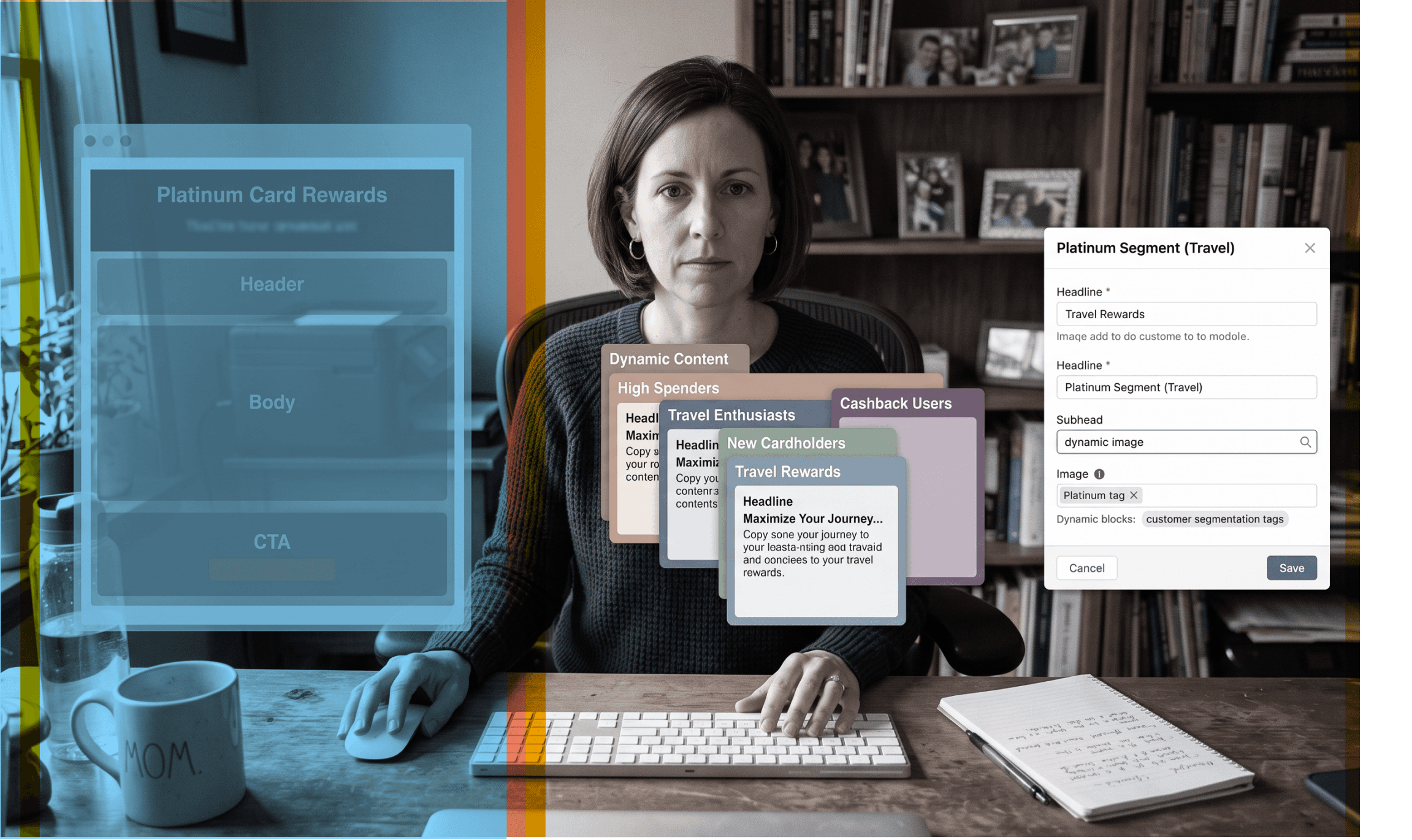
We’ve been getting a steady stream of questions about dynamic content in Denada, so here’s the straight answer: it’s built in, and it works by connecting Denada — your creative agent — directly to your ESP or CDP.
Once connected, Denada can pull subscriber data straight into your layouts and use it to generate versions, variants, and custom content automatically. Best part: you just ask the agent, the same way you already work in Denada.
Denada is a certified technology partner with SFMC, Iterable, Braze, HubSpot, Cordial and Zeta, so however you’re pulling audience data today, dynamic content plugs into that same setup.
Block Variants
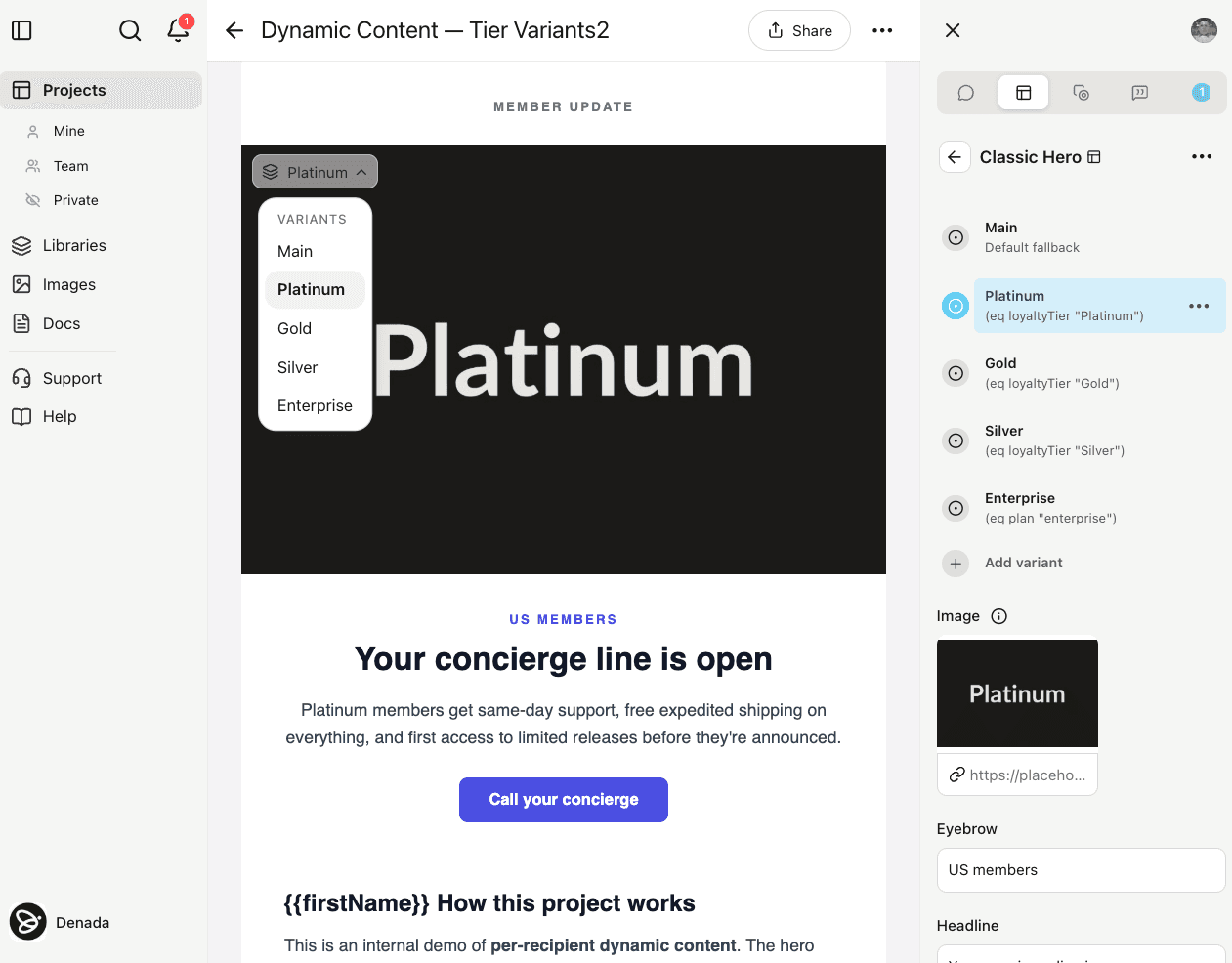
Ask Denada to create multiple versions of any block, each targeting a different segment. For example: “create a version of this block for each of my loyalty segments,” with your segment definitions saved in a doc like Loyalty_Segments.md. Denada reads the data and builds the versions, and defines which version each subscriber sees based on your ESP data — all inside a single campaign. No duplicate templates, no extra build time.
Conditional Rendering
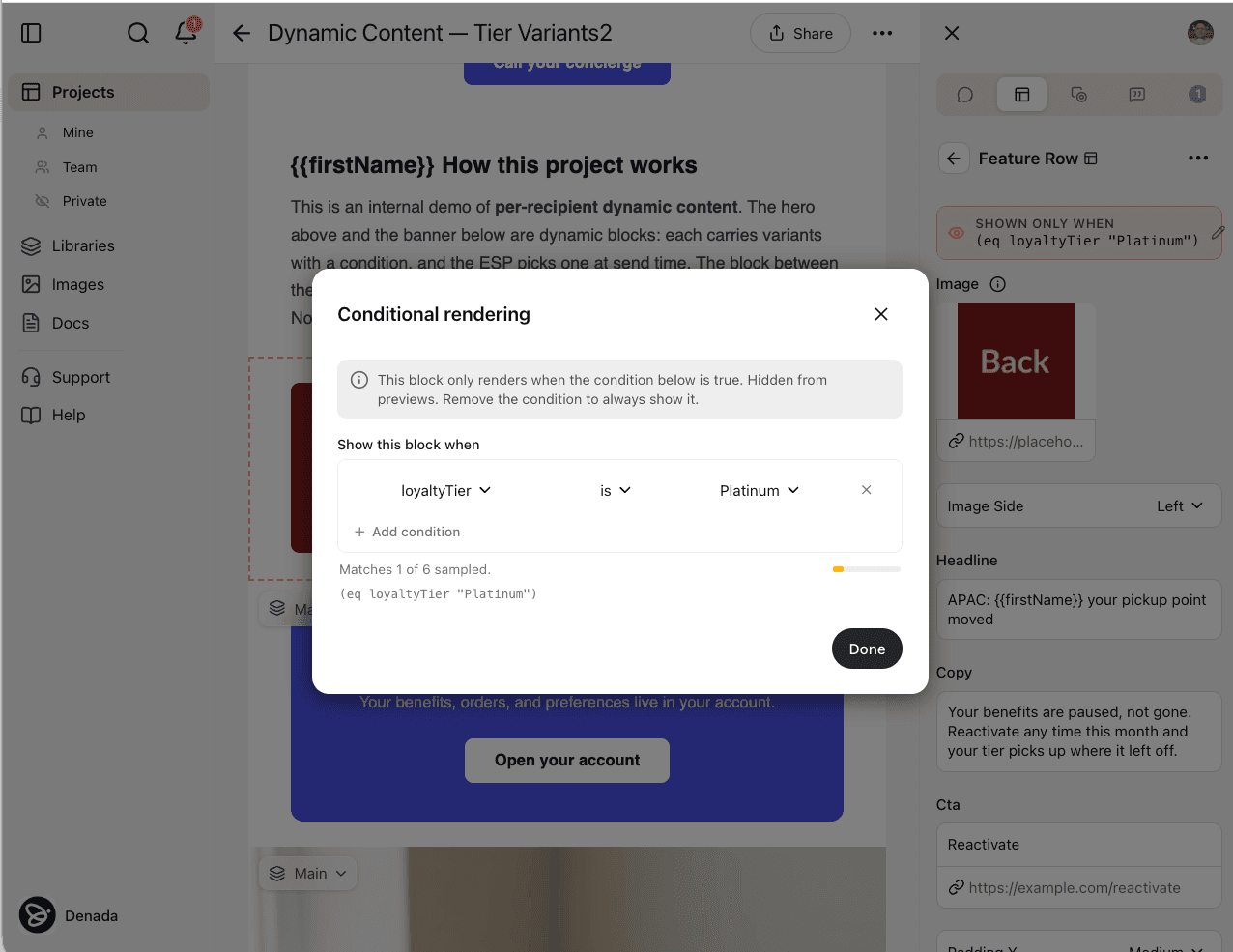
Sometimes you don’t want a variant — you want a block to disappear entirely for subscribers who don’t match a condition. Tell Denada the logic in plain language, and it’ll show or hide the block accordingly. Everyone who doesn’t match just gets a clean email without it.
{{ Inline Data, Anywhere
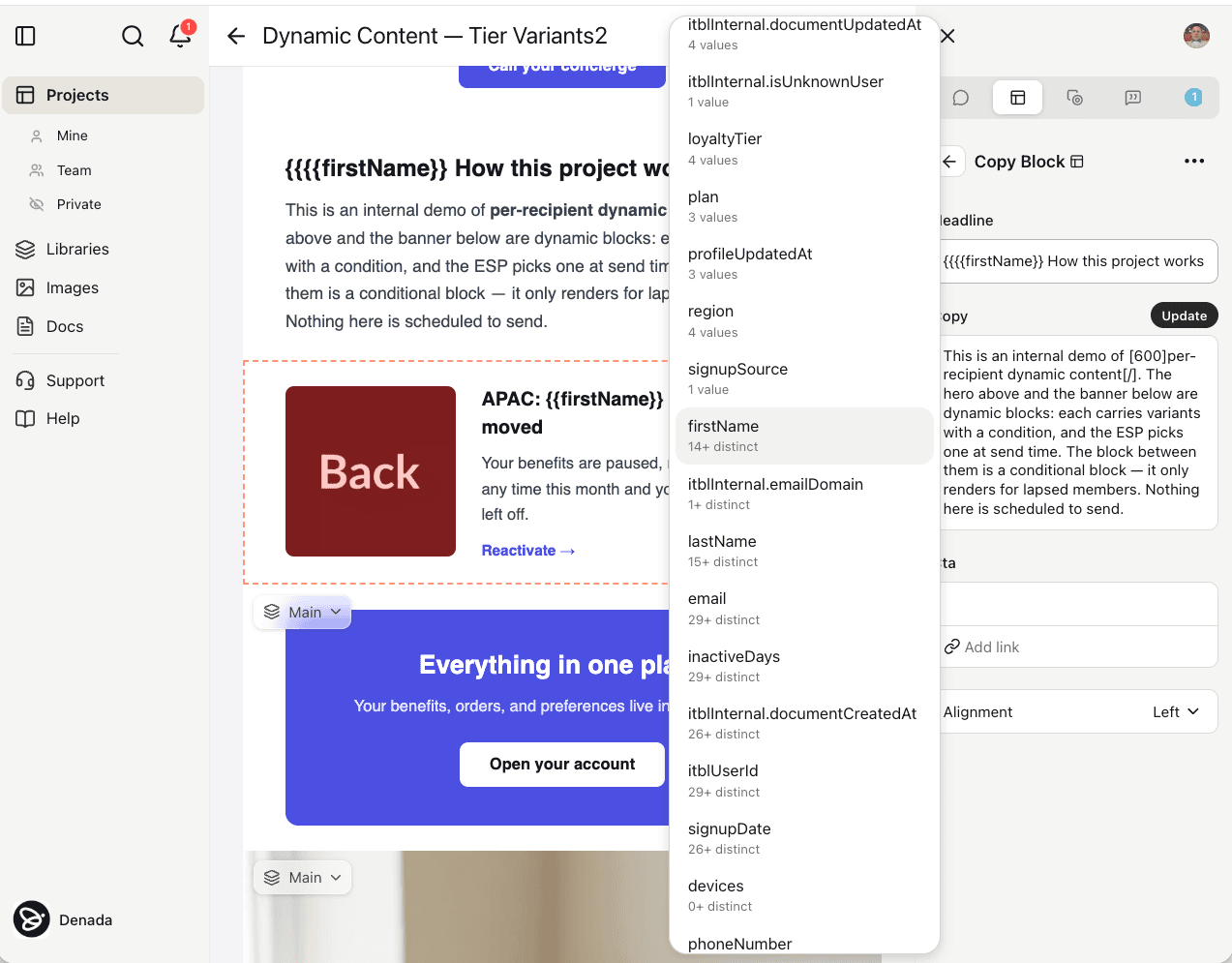
Type {{ anywhere in your copy to pull in any available ESP field — first name, loyalty tier, last purchase date, or a custom attribute. It works right inside the layout, no coding and no switching tabs. This is how you make just a phrase or a line dynamic, rather than a whole block.
Combine this with the agent and the data you feed Denada through Docs, and you’ve got a fast way to make either an entire message or just a piece of it dynamic — driven by a prompt.
Proof It in Canvas
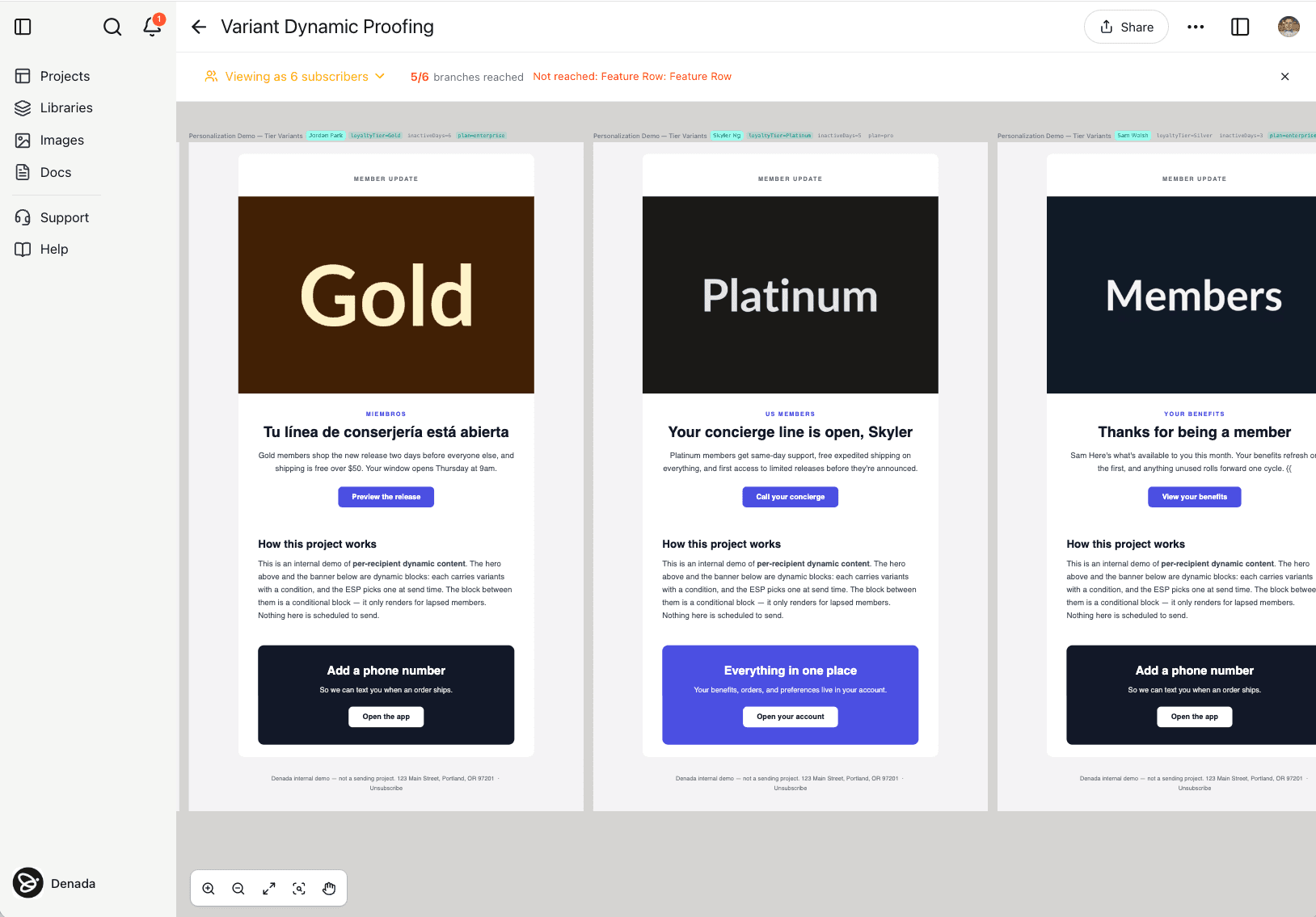
This is usually the hardest part of dynamic content in most ESPs: to actually see a variation, you have to send or stage a proof, which eats up real time.
In Denada, you proof everything in a Canvas before you export. Drop in an email address, or a combination of data values, and preview exactly what that subscriber will see — one variation or hundreds of them, all in one place for viewing, commenting, and approval. When you export, there’s no guesswork about whether the logic will render correctly in your ESP.
Teams using Denada for dynamic content and proofing have cut their email development cycle by 45–65%. One client went from an ~18-day setup-to-approval process down to 4 days.
See It in Action
Want to see it before you turn it on? Watch a short demonstration in the video above, or schedule a consultation and we’ll walk through it live.