


Denada + Braze
Denada is a certified Braze Alloys partner.
See our Braze partner pageHow Denada and Braze work together
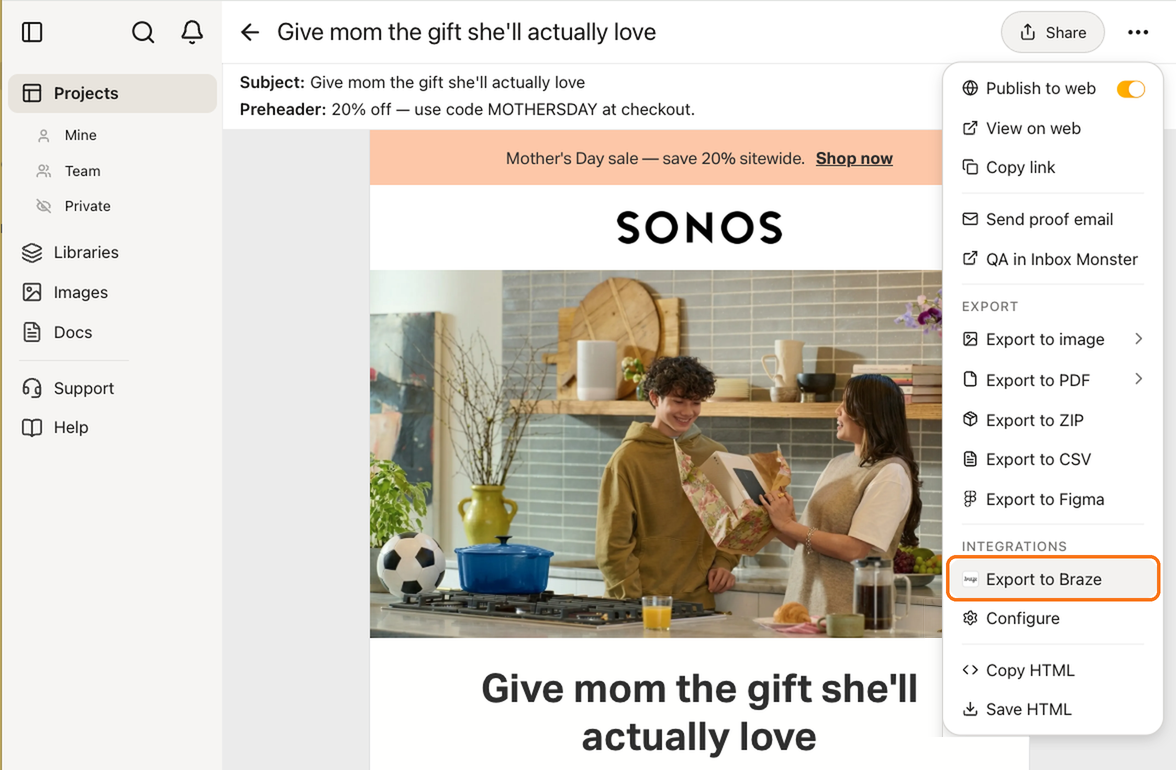
Send HTML and images to Braze in one click
Finished emails go to Braze as an email template with the HTML in place. Images can upload to your Braze Media Library on the same click.
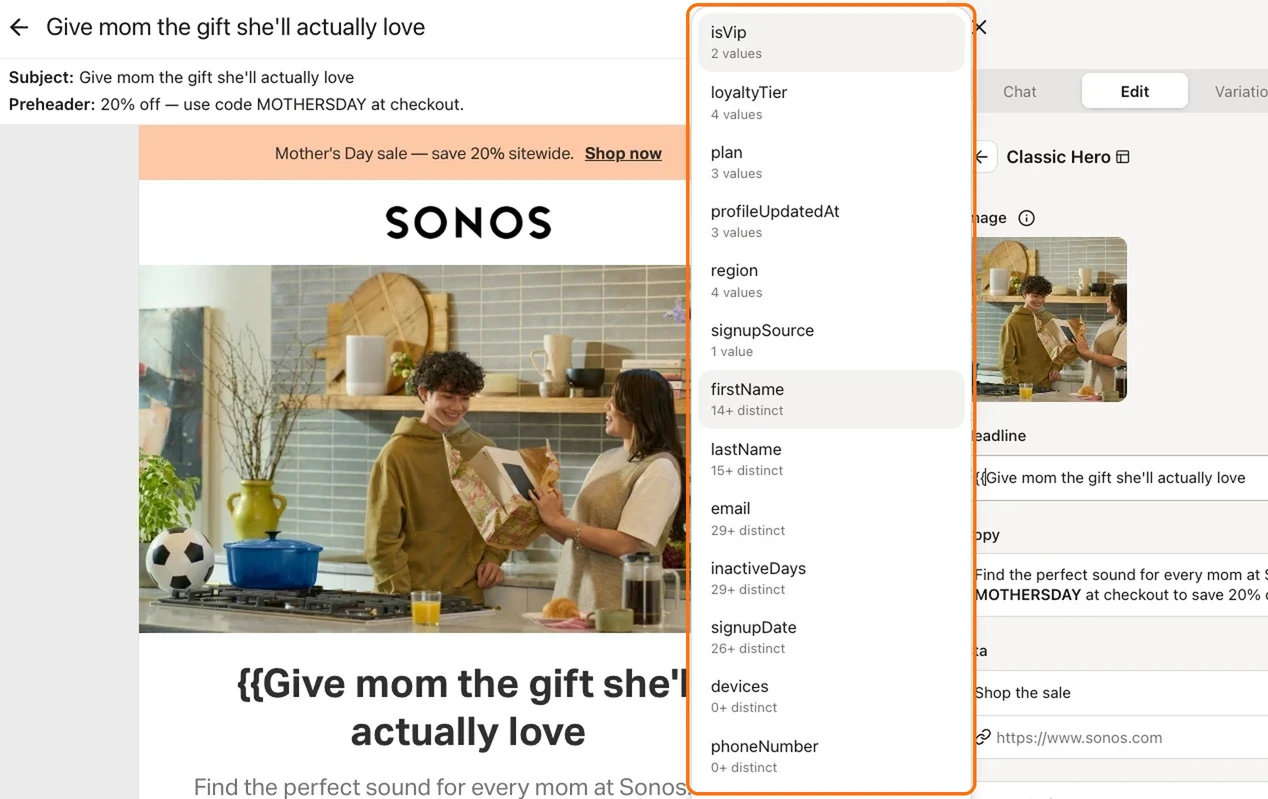
Use your Braze data in Denada
Denada reads your Braze user data and fields directly, so you can use them for merge tags and dynamic content while you build.
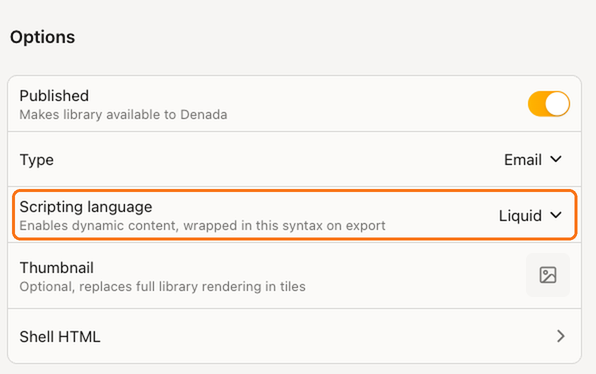
Liquid written and proofed for you
Denada writes all of the Braze Liquid. Proof it with actual values in Denada's Canvas proofing tool before anything goes to Braze.
{% assign tier = custom_attribute.${loyalty_tier} | default: "standard" %}
Hi {{${first_name} | default: "there"}},

{% if tier == "vip" %}
  Take an extra 20% off with code VIP20.
{% else %}
  Free shipping on orders over $50.
{% endif %}

{{content_blocks.${spring_footer}}}
Send and receive Content Blocks
Denada pulls your existing Braze Content Blocks in whole, Liquid included, through the Braze REST API. It lists your blocks so you can pick one, then pulls in its content. Denada can also push blocks back to Braze, as new Content Blocks or updates to existing ones.
Uses the Braze Content Blocks endpoints:
/content_blocks/list,/content_blocks/info,/content_blocks/createand/content_blocks/update. Requires a Braze API key with Content Blocks permissions.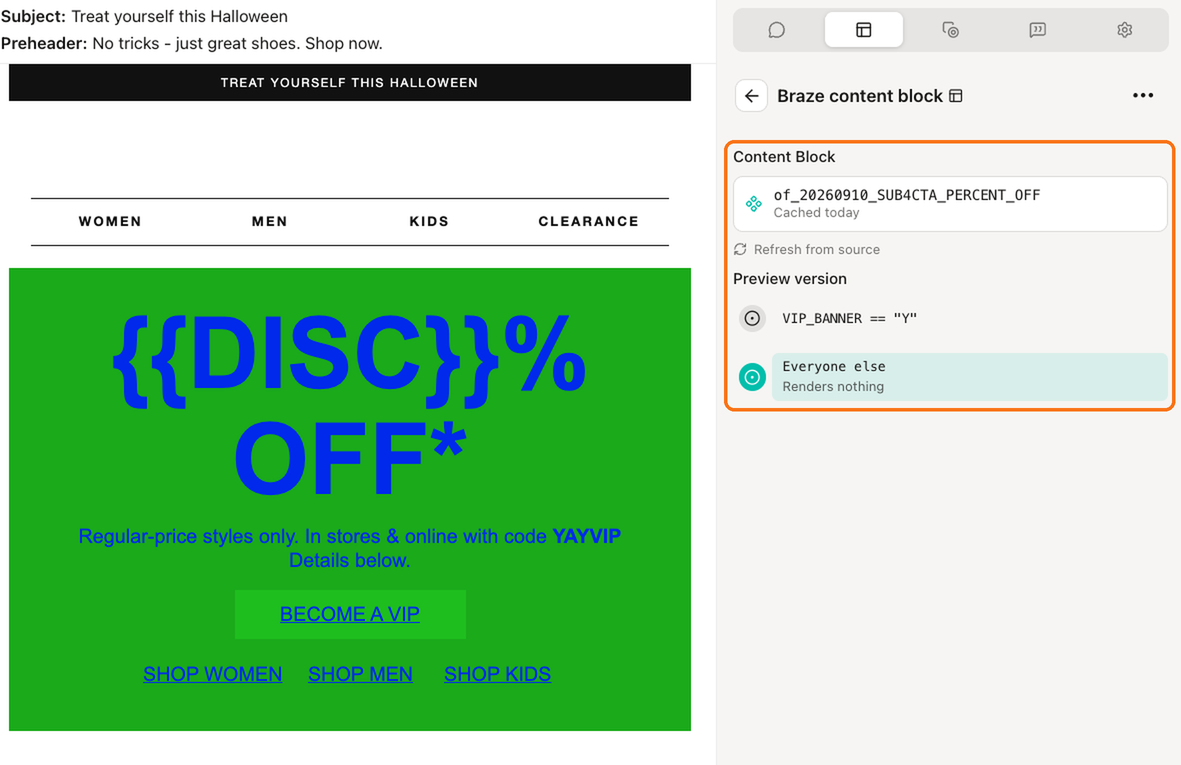
Watch Denada pull and push Content Blocks from Braze (3 min)